Smaller company
140 €/ mo
~25 users
- User licences
- Function guarantee
- Continuous updates
Be the best at getting better
Get an overview and control of your quality, work environment and environmental deviations. Work innovatively with improvement suggestions and risk observations.
With InSight Improve you can work correctively, preventively and developmentally, in the best interests of your organisation.
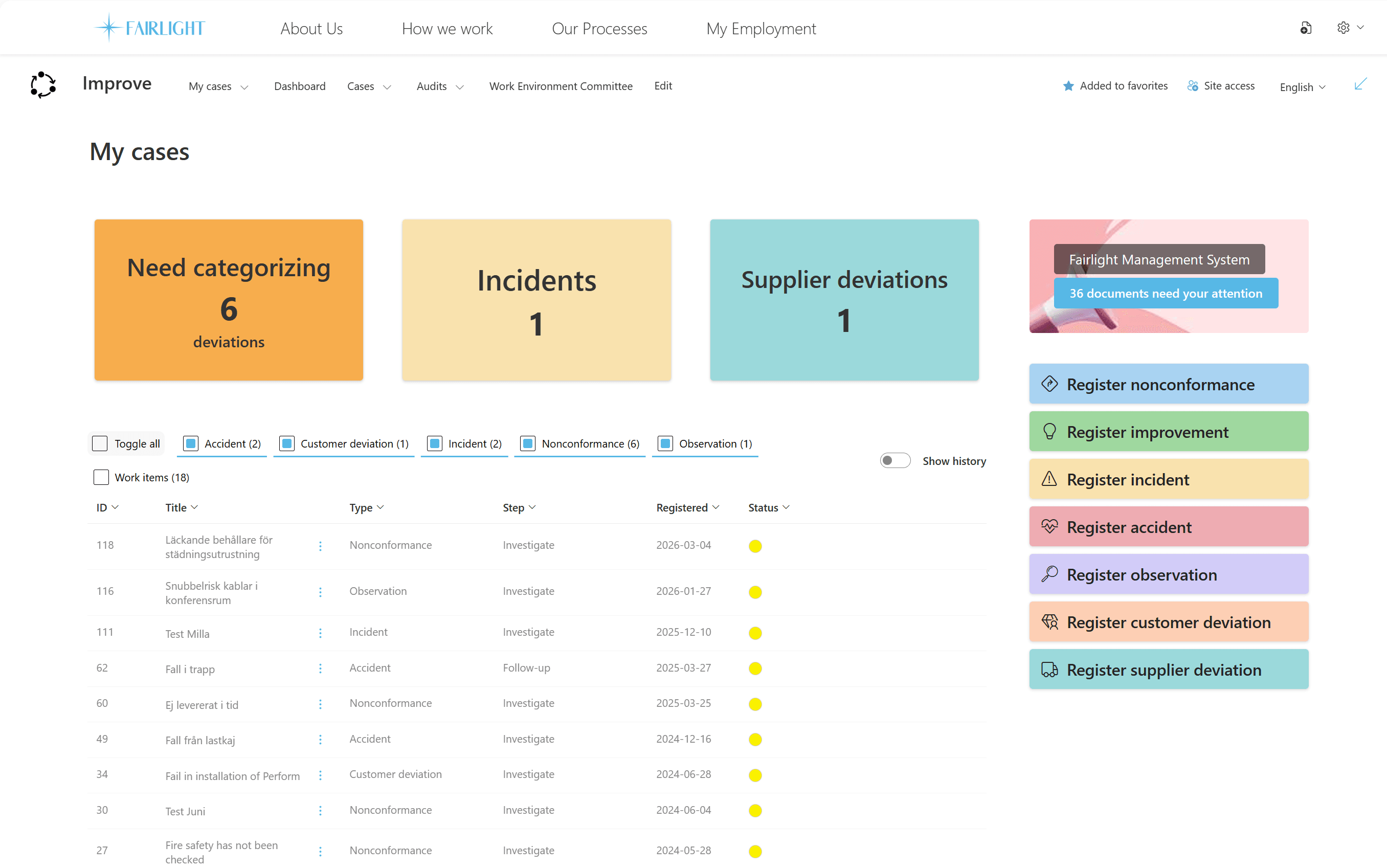
Because InSight Improve is a turnkey solution, it is easy and smooth to implement in SharePoint and Microsoft 365.
InSight Improve is easy for everyone in the organisation to use and access, wherever they work.
With InSight Improve, we continuously keep your improvement and deviation management system up to date with new, value-adding features.
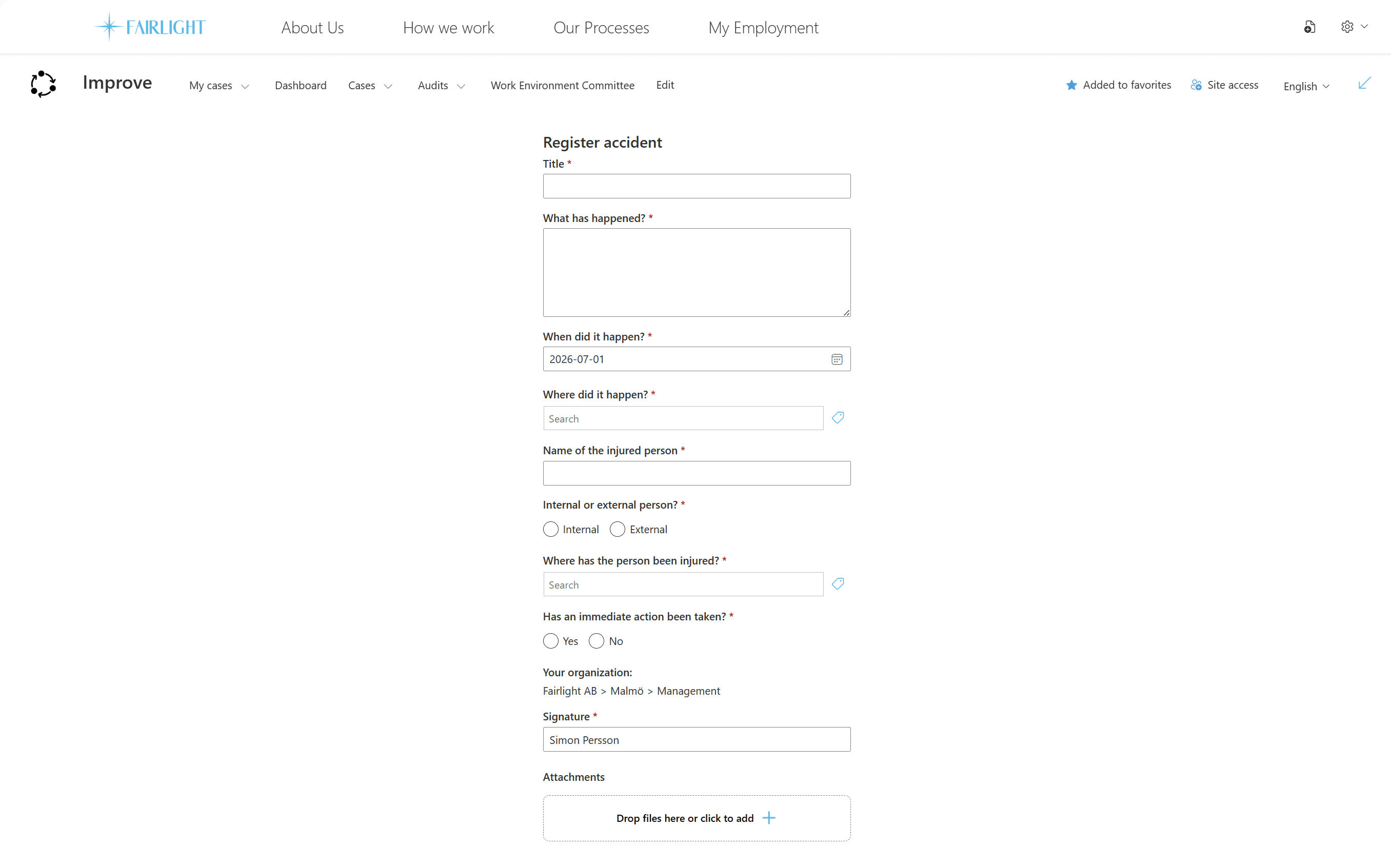
With InSight Improve, your employees can easily report and follow deviations, risk observations and improvement suggestions, on both mobile and desktop. A simpler reporting process makes people more willing to report. With many reported cases, you build a better basis for decisions in your process development and your long-term quality work. You also get a clear overview and control of your cases, which helps you follow up and work in a structured way with preventive actions and continuous improvement.
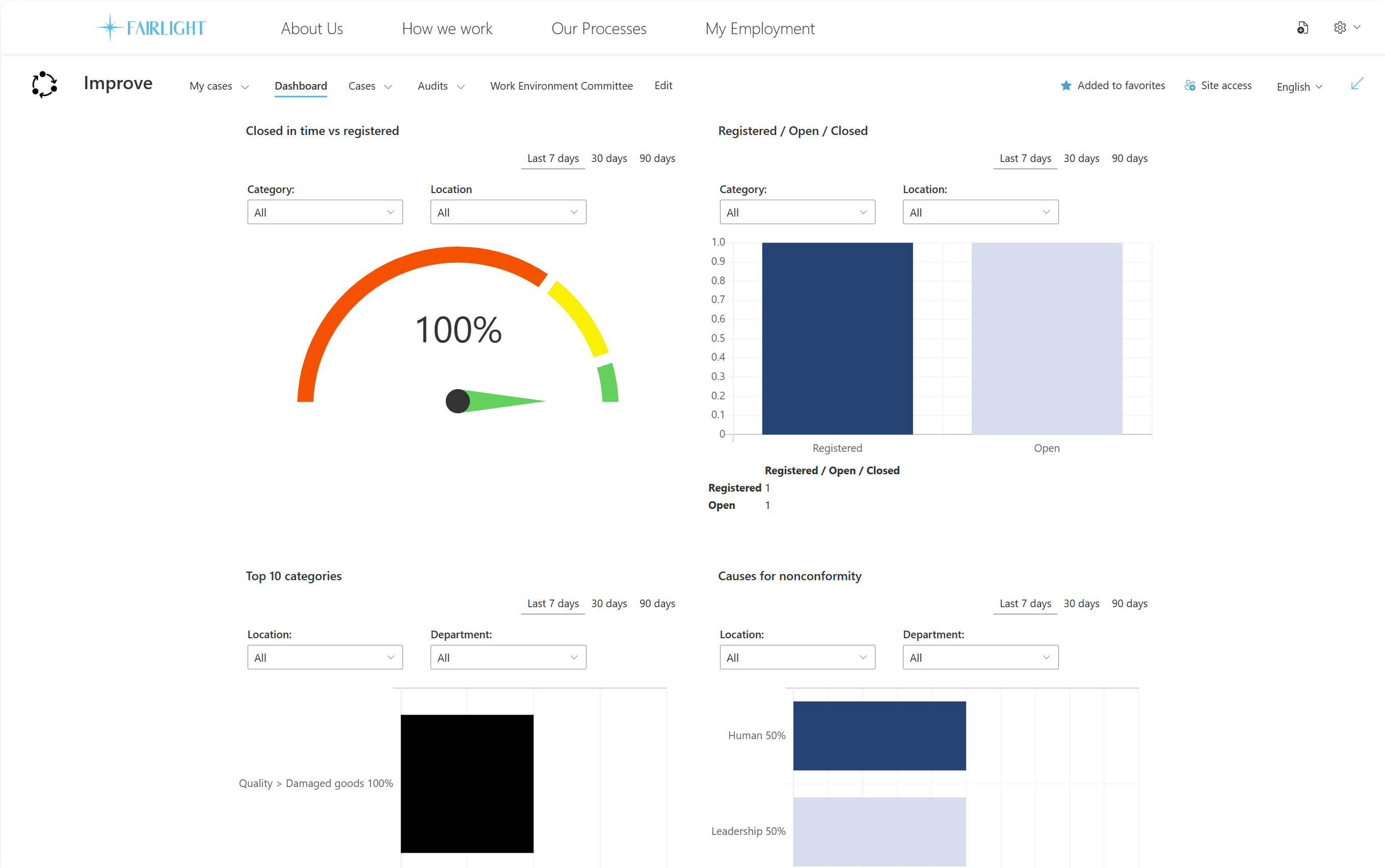
A clear overview helps you see connections between deviations and analyse the results directly in the system. With the SharePoint integration you can also export statistics for use in Power BI, among other tools. With dashboards, you can quickly take the temperature of your deviations, improvement suggestions and risk observations.
Pricing depends on the product and how many people use it. Each product can be bought on its own or combined with others. The examples below show approximate monthly prices for three common sizes.
140 €/ mo
~25 users
280 €/ mo
~200 users
560 €/ mo
~2,000 users
Book a short, concrete demo. We'll walk through how it works in Microsoft 365 and answer your questions.